



Three.js on a business website: when it helps and how to keep it fast
A 3D scene can make a site memorable or make it unusable on a mid-range phone. The difference is a handful of habits.

Three.js puts WebGL within reach of any front-end developer. It also makes it easy to ship a scene that runs well on your laptop and poorly on a customer's phone.
Decide first whether the scene earns its place. A product you can rotate does. A spinning shape that delays the first paint does not.
A minimal scene
tsimport * as THREE from "three";

const renderer = new THREE.WebGLRenderer({ canvas, antialias: true, alpha: true });
renderer.setPixelRatio(Math.min(window.devicePixelRatio, 1.5));

const scene = new THREE.Scene();
const camera = new THREE.PerspectiveCamera(45, 1, 0.1, 100);
camera.position.z = 5;

const mesh = new THREE.Mesh(
  new THREE.IcosahedronGeometry(1, 1),
  new THREE.MeshStandardMaterial({ color: 0x0e3b2e })
);
const light = new THREE.DirectionalLight(0xffffff, 2);
light.position.set(3, 3, 4);
scene.add(mesh, light, new THREE.AmbientLight(0xffffff, 0.6));

renderer.setAnimationLoop((t) => {
  mesh.rotation.y = t * 0.0003;
  renderer.render(scene, camera);
});
Four habits that keep it fast
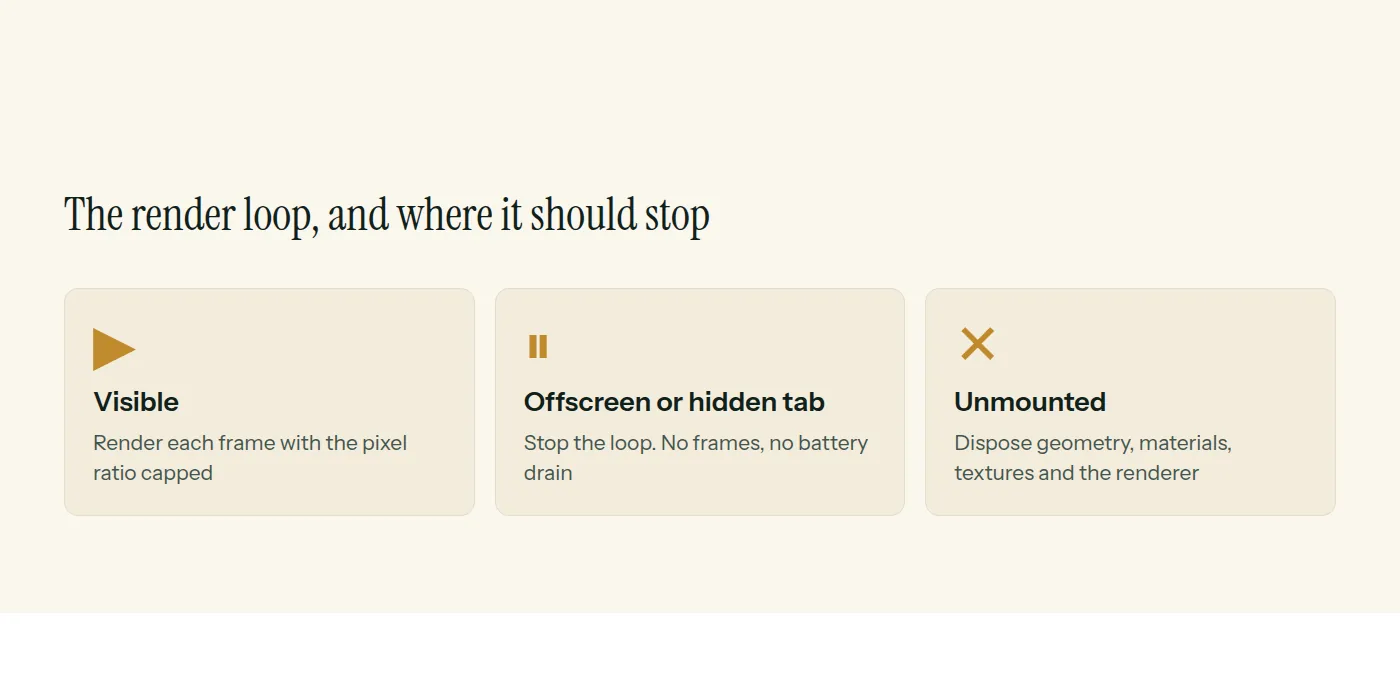
Cap the pixel ratio. A phone reporting a ratio of 3 renders nine times the pixels of a ratio of 1. Capping at 1.5 or 2 saves a great deal of work you cannot see.
Pause when nobody is looking. Stop the loop when the canvas leaves the screen or the tab is hidden.
tsconst io = new IntersectionObserver(([e]) => {
  renderer.setAnimationLoop(e.isIntersecting ? tick : null);
});
io.observe(canvas);
Handle resize properly. Update the renderer size without touching the CSS size, then the camera aspect and projection.
tsfunction resize() {
  const { clientWidth: w, clientHeight: h } = canvas;
  renderer.setSize(w, h, false);
  camera.aspect = w / h;
  camera.updateProjectionMatrix();
}
Dispose what you create. Geometries, materials, textures and the renderer hold GPU memory that JavaScript garbage collection does not free. Call dispose on each when the component unmounts.
Keep the page honest
- Put the real content and headings in HTML, not inside the scene.
- Load Three.js after the first paint, and lazy-load heavy models.
- Offer a still image fallback when WebGL is unavailable or reduced motion is set.
- Test on a mid-range Android phone, not only on your laptop.
Our web development page covers the interactive work we build, including scenes like this.
Common questions
- Is Three.js bad for SEO or speed?
- Not by itself. Keep real content in HTML, load the 3D scene after the main content, and limit its cost on phones. A scene that blocks content hurts both.
- Should a business website use 3D at all?
- Only if it supports the message, such as showing a product from every angle. If it is decoration that delays the first screen, skip it.
- How do I stop a Three.js scene draining the battery?
- Pause the render loop when the canvas is offscreen or the tab is hidden, and cap the device pixel ratio.
This is what we do
Work of this kind is Web Development and UI/UX Design — the same hands that wrote this.
A guide from the team at RiverPoint Web & App. It describes how we would approach this and makes no measurement claims. If you want to talk it through, get in touch.