

Why your website is slow, and how to find the cause in an afternoon
Speed advice is usually a list of fifty things. Measuring first narrows it to the two or three that matter for your site.
A slow website is rarely slow for fifty reasons. It is usually slow for two or three, and a few minutes of measurement will name them.
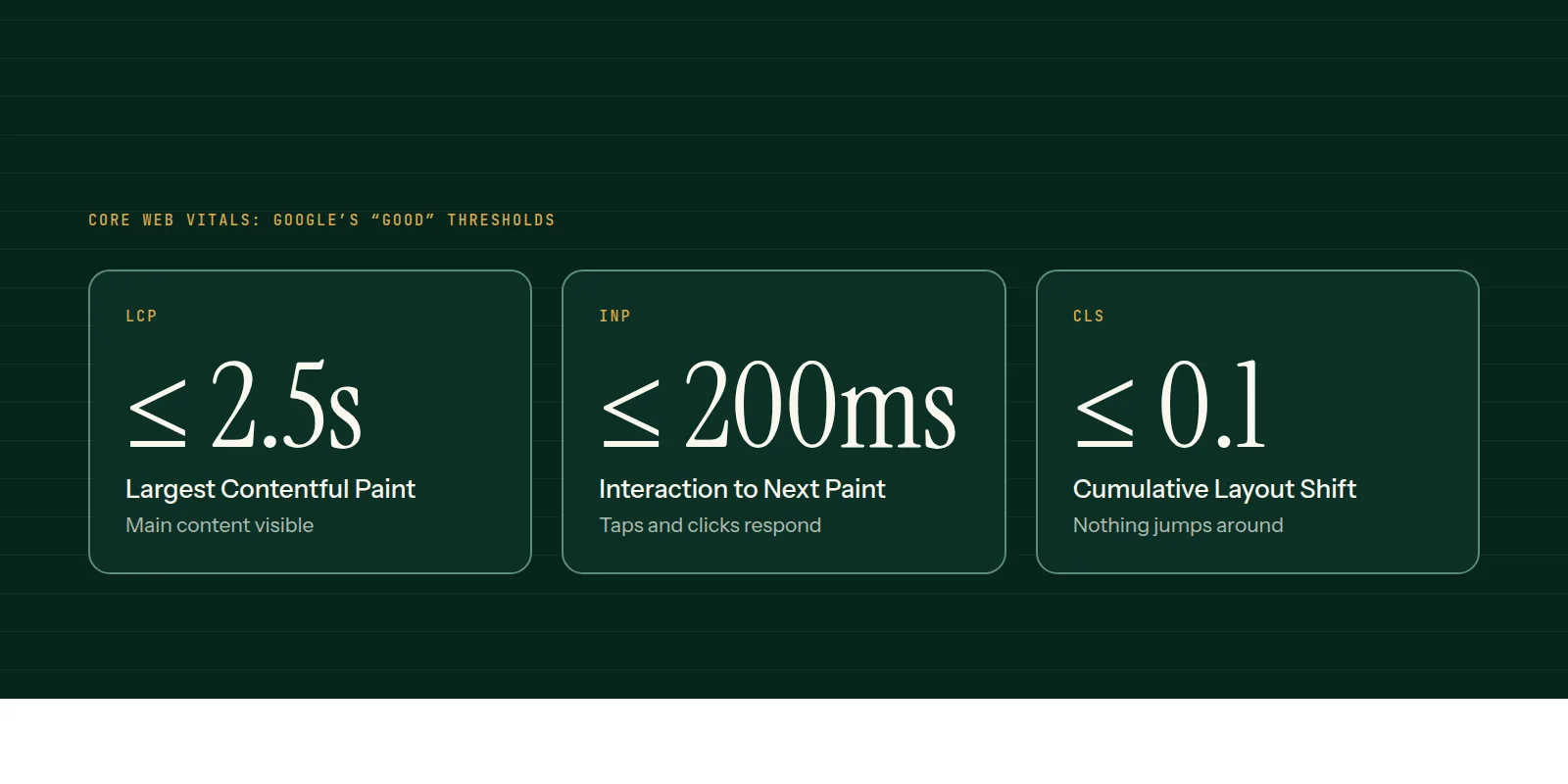
These thresholds are Google's published definition of a good experience, measured at the 75th percentile of real visits.
Step 1: measure the right thing
Open PageSpeed Insights and test your home page and one heavy page, on mobile. Read the top section first. If it shows real-user data, that is how your visitors actually experience the site. The lab score below it is a single simulated run and varies from one run to the next.
- LCP: how long until the main content appears. Good is 2.5 seconds or less.
- INP: how quickly the page responds when someone taps or clicks. Good is 200 milliseconds or less.
- CLS: how much the layout jumps while loading. Good is 0.1 or less.
Step 2: look for the usual suspects
Work through them in this order, because the early ones cost the least to fix and help the most.
- Images: oversized files, the wrong format, or no width and height set. Convert to WebP or AVIF and size them to how they display.
- Third-party scripts: chat widgets, trackers, review badges. Each one is code you do not control. Remove what nobody uses.
- Fonts: loading many weights, or blocking the page while they download.
- Hosting and caching: a slow first response means the server or missing cache, not the front end.
- Plugins and page builders: on WordPress, every plugin adds weight. Audit them.
Step 3: fix layout shift
If CLS is high, something is arriving late and pushing content down: an image with no dimensions, an ad slot, a cookie bar, a font swap. Reserve space for each one in advance.
Step 4: check again in the field
Lab scores update immediately; real-user data takes weeks to reflect a change because it is collected over time. Look at Search Console's Core Web Vitals report to track it.
If this reads like more work than an afternoon, our performance and SEO page describes how we audit and fix it for clients.
Common questions
- What is a good PageSpeed score?
- Treat the score as a guide, not a goal. Look at the three Core Web Vitals and whether real visitors pass them, since that is what Google reports on.
- Does website speed affect SEO?
- Page experience is one of many signals, and a slow site also loses visitors before they read anything. Speed helps both rankings and conversions, though content relevance still matters most.
- Why is my site slow on mobile but fine on desktop?
- Phones have slower processors and often slower networks. Large images and heavy scripts that a laptop shrugs off can make a phone wait.
This is what we do
Work of this kind is Performance & SEO and Web Development — the same hands that wrote this.
A guide from the team at RiverPoint Web & App. It describes how we would approach this and makes no measurement claims. If you want to talk it through, get in touch.